


Moving Computers, Servers and Business Equipment Safely
An office IT relocation should be managed as a controlled technology project, not simply a day of packing and transport. Before anything is disconnected, you need a verified backup, a complete equipment inventory, a tested network at the new premises and a written plan showing who will shut down, move, reconnect and test each system.
The safest division of responsibility is simple. Your IT team or managed service provider handles backups, configuration, shutdown, disconnection, reconnection and testing. Your removal company packs, protects and transports the equipment agreed in its quotation. Servers, network hardware and specialist systems may require an IT relocation specialist or manufacturer-approved engineer.
Use this office IT relocation checklist to plan the safe movement of computers, monitors, servers, phones, printers, network equipment and the business data behind them.
Why IT Needs Its Own Office Relocation Plan
A failed firewall, circuit or server can stop staff accessing files, answering calls or processing orders. Your plan must protect both the physical equipment and the connectivity, data, applications and security behind it. Connect this workstream to budget, access and staff planning with our complete guide to planning an office move.
Who Does What During an Office IT Removal?
Agree responsibilities in writing before you book. The precise split depends on your equipment, contracts and internal expertise, but this table is a practical starting point.
| Task | IT team or IT provider | Removal company | Business move coordinator |
| Data backup and restore test | Owns and verifies | Not responsible | Records sign-off |
| Inventory and serial numbers | Creates technical record | Reconciles items accepted for transport | Maintains master register |
| Server and network shutdown | Disconnects safely | Handles only if specifically agreed and competent | Approves shutdown window |
| Connection photos and labels | Documents technical setup | Keeps labelled parts together | Checks the agreed standard |
| Packing computers and monitors | Defines special requirements | Packs and protects agreed items | Confirms scope and cover |
| Loading and transport | Identifies restricted items | Loads, secures and transports | Controls access and handovers |
| Reconnection and configuration | Reconnects, configures and tests | Places items at labelled destinations | Confirms rooms are ready |
| User acceptance testing | Resolves technical faults | Reports visible transit damage | Coordinates department sign-off |
Never assume a removal quotation includes unplugging computers, dismantling racks or reconnecting systems. Ask for the scope in writing. Our guide to choosing an office removal company includes 12 useful questions for comparing providers.
Office IT Relocation Checklist by Timeline
Start as early as the lease and moving date allow. A small cloud-based office may need less preparation than a business with on-premises servers, specialist machinery or regulated data.
Use the visual office IT relocation checklist infographic for a quick overview, then follow the detailed steps below to assign responsibilities and prepare each stage of the move.
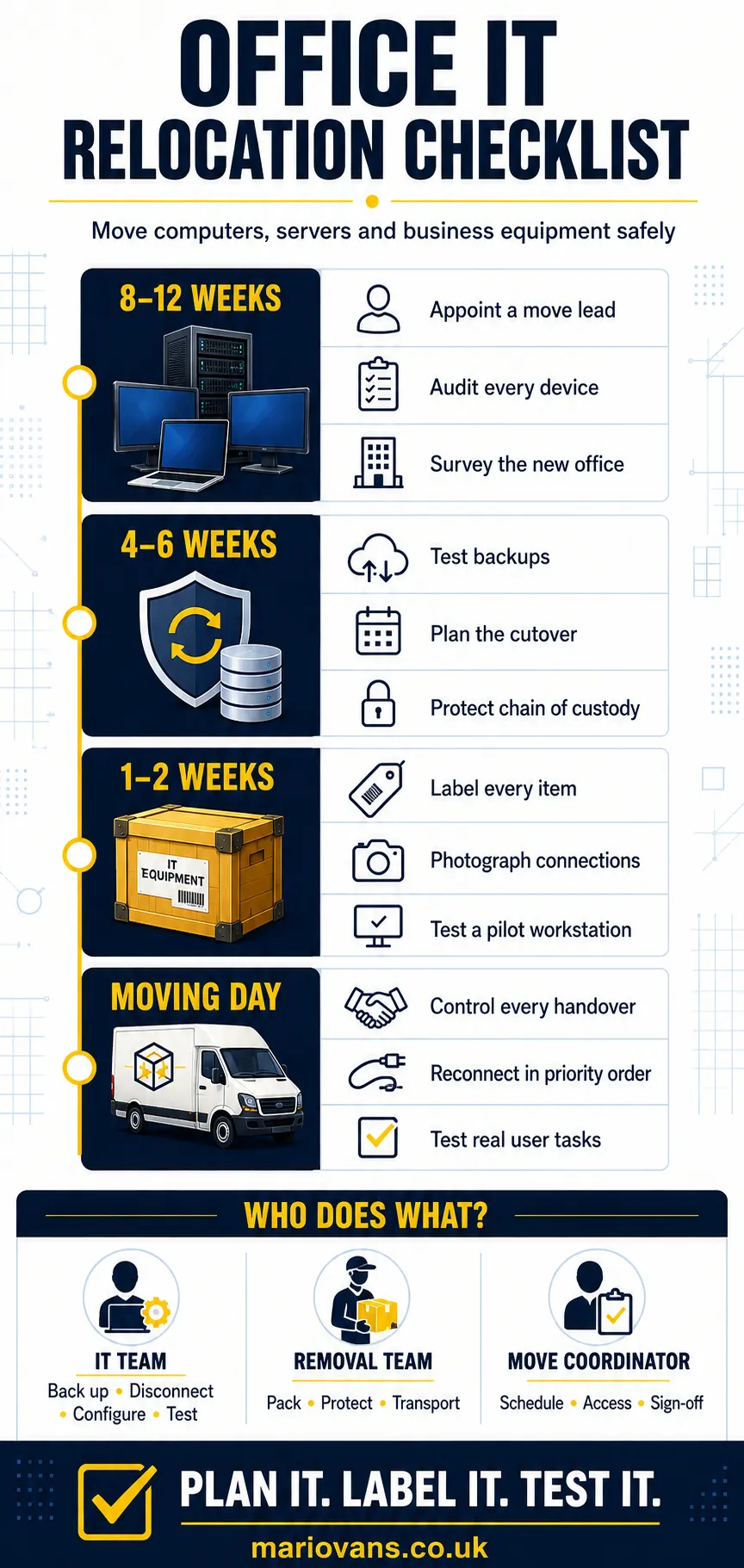
Eight to Twelve Weeks Before the Move
1. Appoint an IT Relocation Lead
Choose one decision-maker to coordinate your IT provider, removal company, landlord, building manager and departments. Give that person a deputy, a current contact list and control of the master plan. Several conflicting spreadsheets are not a plan.
2. Build a Complete Equipment Inventory
For every asset, capture:
- asset ID, serial number, make and model;
- user, current location and destination;
- condition, owner and data-bearing status;
- action: move, replace, return, store or dispose.
Photograph high-value equipment and existing damage. The record helps trace missing items and resolve transit claims.
3. Survey the New Office
With your IT provider, check the live internet service, data ports, sockets, Wi-Fi, server-room power and cooling, rack space and security. Confirm loading, lifts and out-of-hours access. Test connectivity before the main move: an installation date is not proof that real devices work.
Decide now what will not move. Return leased equipment and securely erase or destroy unwanted data-bearing devices. Business electrical waste must follow the appropriate route, with documentation retained where required.
Four to Six Weeks Before the Move
4. Create and Test Your Backups
A completed backup is not enough. Your IT provider should demonstrate that critical systems can be restored.
Confirm:
- what is protected and when the final backup runs;
- where separate copies and recovery credentials are held;
- how long priority services take to restore;
- who signs off the test and shutdown.
The NCSC data security guidance recommends keeping backups separate from the systems they protect. Do not transport the only usable backup in the same vehicle as the original hardware.
5. Write the Cutover and Continuity Plan
List essential systems and the maximum interruption each can tolerate. Calls may need forwarding while some staff work remotely.
Your written sequence should cover the final user deadline, backup verification, shutdown, physical handover, delivery, reconnection, testing and first-day support. Name the person who can pause the move or activate the fallback plan.
The timing decision also affects downtime and building access.
6. Protect the Chain of Custody
Data-bearing devices may hold sensitive information. Record every handover while they are outside normal controls.
For each data-bearing or high-value asset, log:
- asset ID, serial number and description;
- crate or tamper-seal number, if used;
- collection time, releasing person and recipient;
- vehicle reference, delivery time and condition;
- final reconciliation and sign-off.
Use encryption where appropriate, restrict access to the register and avoid labels that advertise confidential contents. The ICO encryption guidance explains why both stored data and its transfer method need protection.
One to Two Weeks Before the Move
7. Label Every Item for Its Destination
Give every device a unique code linked to the inventory. Include the destination floor, room, desk or rack—not only the old department. Put the same reference on the computer, monitors, dock and sealed cable bag.
Photograph rear connections before disconnection. This is especially valuable for multi-monitor desks, printers, specialist controllers and meeting-room equipment.
8. Test a Pilot Workstation
Build one complete desk at the new site. Test power, internet, Wi-Fi, VPN, calls, printing, applications and permissions. Confirm suitable power, cooling and UPS capacity in the communications area.
9. Agree Packing and Handling Rules
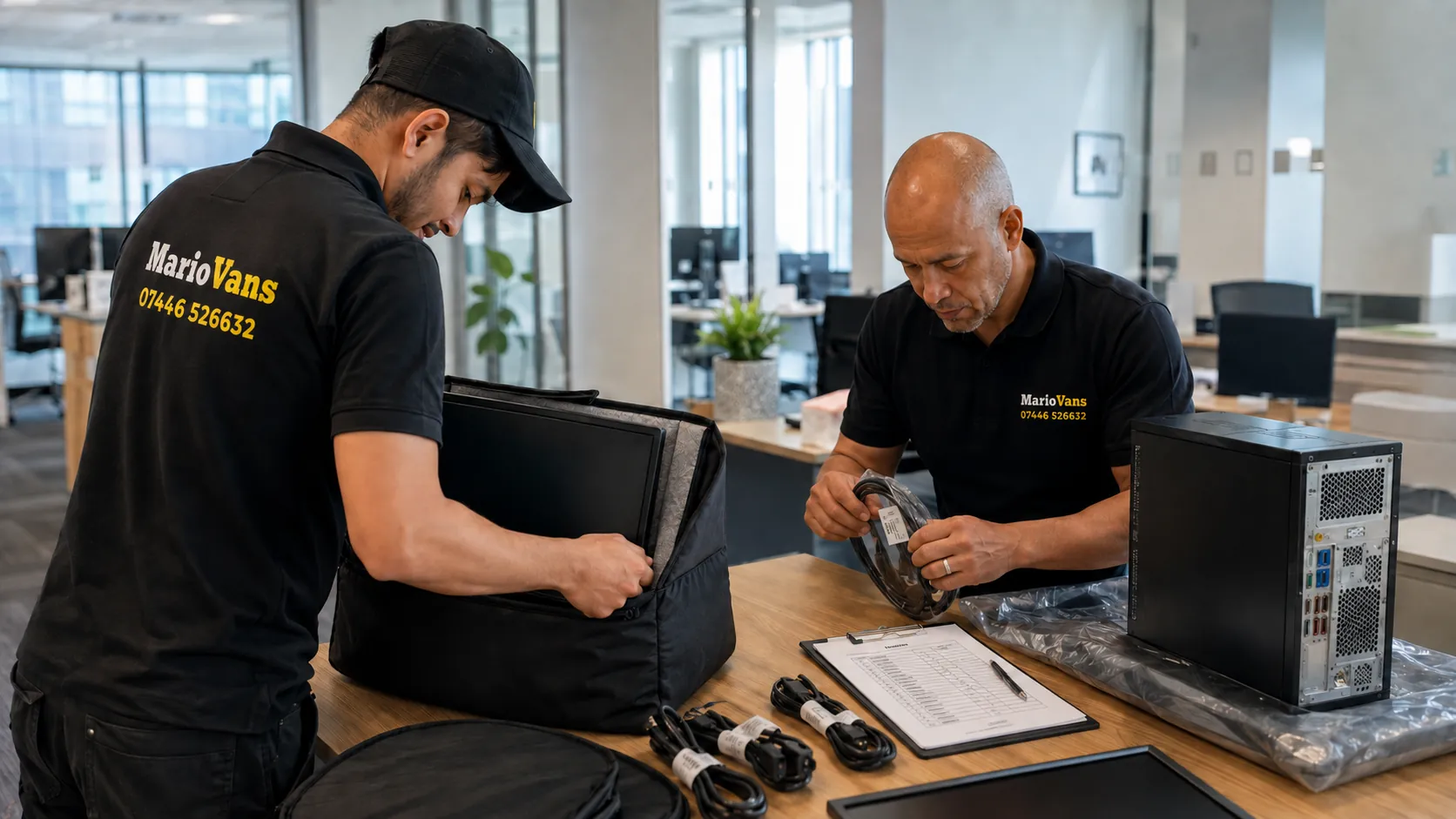
labelled and recorded before they leave the original office.
Use original packaging where available, or suitable rigid cartons or crates with enough cushioning to prevent movement.
The agreed method should include:
- full shutdown before disconnection;
- anti-static protection for exposed components;
- screen protection with no display pressure;
- labelled accessories kept with each device;
- secure loading with no heavy boxes on IT equipment.
Dell advises disconnecting cables, using original packing where possible and avoiding screen pressure. Follow the instructions for the equipment being moved.
The Final Working Day
10. Make a Go or No-Go Decision
Freeze non-essential software and hardware changes. Then confirm that the backup passed its restore test, the new network works, both buildings are accessible, destination rooms are ready, labels are complete and the fallback remains possible.
If a critical condition has failed, stop and assess it. A controlled delay is better than an outage with no recovery route.
11. Shut Down in the Agreed Order
Employees should save work, log out and shut down at the instructed time. IT then stops services in the documented sequence and checks that no backup or database process is running.
Only authorised technicians should disconnect servers, firewalls, switches and specialist systems. Record rack positions, ports, cable labels and final connection photos first.
Moving Day: Control Every Handover

IT equipment from collection through to delivery and final sign-off.
Use one departure coordinator and one receiving coordinator working from the same register. At collection, reconcile assets, note condition and seals, keep priority equipment accessible and sign the handover before departure.
At delivery, check seals and condition, reconcile serialised items and route network equipment to authorised IT staff. Record exceptions immediately.
If equipment must wait between buildings, use a secure, dry, access-controlled area and record who can enter.
Planning an office move?
Get a Free Office Removal Quote
Tell MarioVans about your offices, preferred moving date and the support you need. Our team will help you plan a safe, organised relocation with minimal disruption to your business.
Office removals across Bedford, Milton Keynes, London and surrounding areas.
Reconnect in Business-Priority Order
Do not reconnect in the order boxes arrive. A typical sequence is:
- power, cooling and UPS protection;
- internet, firewall, router and core switches;
- servers, storage and identity services;
- backup, monitoring and security tools;
- telephony and customer-facing systems;
- priority teams, then remaining devices and rooms.
Dependencies may require a different order. Document it beforehand and test each layer before adding the next.
Post-Move IT Testing Checklist
The move is complete only when people can work securely and every asset is reconciled.
Test and record:
- wired internet, Wi-Fi, VPN and remote access;
- calls, email and customer-facing services;
- logins, shared drives, databases and key applications;
- printers and meeting-room equipment;
- backups, monitoring and security alerts;
- the final inventory and any damage exceptions.
Ask a representative from each department to perform real tasks. IT may see a healthy system while Finance still cannot reach a mapped drive or Sales cannot make an outbound call. Keep the fallback available until the authorised lead accepts the new setup.
Example: An Office Move From Bedford to Milton Keynes
Consider a 24-person firm moving from Bedford to Milton Keynes with cloud applications, network storage, laptops, monitors, VoIP phones and meeting-room equipment.
Its IT provider surveys the site, verifies backups and prepares the network. The office manager assigns destination codes. The removal team transports agreed hardware while IT controls network storage and security equipment.
After delivery, five pilot workstations are tested before departments check real tasks. Every task has an owner, every device a destination and the business a fallback.
MarioVans provides professional office removals across Bedford, Milton Keynes, London and surrounding areas. Businesses moving in or around the city can also view our Milton Keynes office removal service. Explain your equipment, access, packing requirements and IT responsibilities during the quotation stage.
Five Common Office IT Relocation Mistakes
1. Assuming Cloud-Based Means Move-Proof
Cloud services still need internet, devices and identity controls. Prepare backup connectivity or remote working.
2. Confusing a Backup With a Recovery Test
Verify credentials, recovery time and a sample restore before shutdown.
3. Letting Everyone Pack Technology Differently
Loose docks and unlabelled cables cause avoidable loss. Put named coordinators in control.
4. Moving Equipment That Should Be Retired
Decide early what to move, return, replace, store or dispose of securely.
5. Leaving Responsibility Between Suppliers
IT may think the mover will disconnect a device; the mover may think IT will do it. A written scope and responsibility table close that gap.
Frequently Asked Questions About Office IT Relocation
Start when the new premises and likely date are known. Eight to twelve weeks is useful for many businesses, but leased lines, cabling, landlord approvals or complex servers can require longer. Confirm current supplier lead times.
Your IT team or managed provider should define the process and handle networked or business-critical systems. A removal company may pack and move computers and peripherals when that work is in the written scope. Never assume configuration is included.
Create and test a complete backup, keep usable copies separate from the original hardware and maintain an accurate inventory. Shut down correctly, protect equipment in transit, record handovers and test data access after reconnection.
Use the original box and fitted materials where possible. Otherwise, use a suitable rigid carton or crate with screen protection and cushioning. Disconnect cables, avoid pressure on the display and follow the manufacturer’s instructions.
Only when the packaging, vehicle, handling, insurance and risk assessment are suitable. Sensitive servers may need specialist packing or a separately controlled move. IT and the mover should agree the method in writing, and usable backups should travel separately.
Test power, cooling, internet and the core network first. Then check servers, identity and security services, telephony and critical applications before ordinary workstations. Department representatives should verify real tasks before reopening.
Plan the Technology and Physical Move Together
A safe office IT relocation relies on preparation, not last-minute heroics: tested backups, a reliable inventory, clear labels, secure handovers, a ready destination and named owners.
Your IT provider protects the systems and restores service. Your removal company protects and transports the agreed equipment. Your move coordinator keeps both teams on one timetable. Bring those roles together early and staff have a far better chance of arriving at a workplace that is ready, connected and safe.
Planning an office move?
Get a Free Office Removal Quote
Tell MarioVans about your offices, preferred moving date and the support you need. Our team will help you plan a safe, organised relocation with minimal disruption to your business.
Office removals across Bedford, Milton Keynes, London and surrounding areas.